Overview
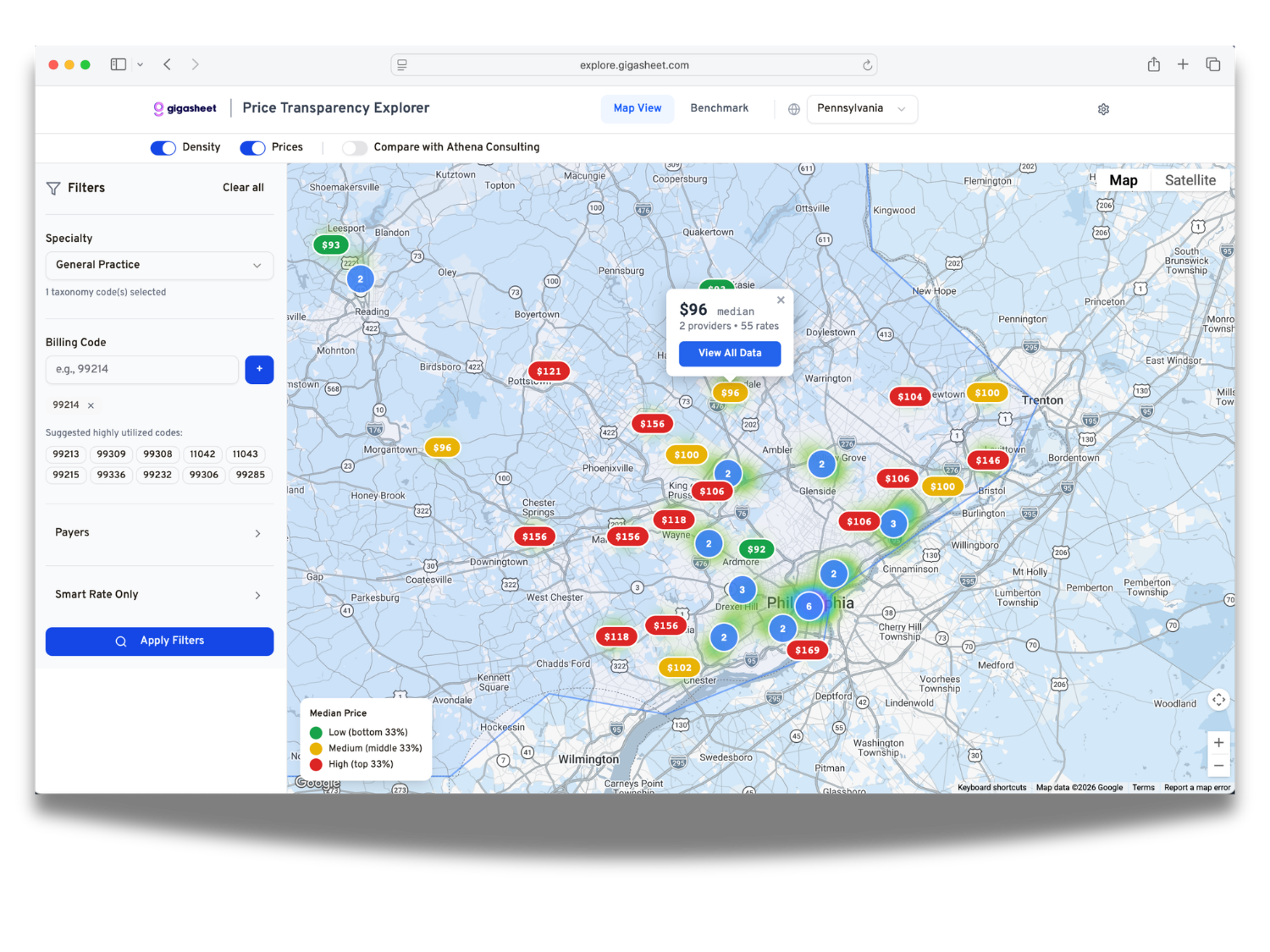
The Map View is the primary interface of the Explorer. It displays negotiated rates geographically across a state, with each marker representing a ZIP code where providers have rates in your dataset.
The Map Canvas
The map renders two simultaneous overlays:
Density Heatmap, A color gradient showing where providers are concentrated. Warmer colors (orange, red) indicate ZIP codes with higher provider counts. The heatmap intensity is scaled to the 75th percentile of provider counts, so outlier-dense areas do not wash out the rest of the map. Toggle this layer on or off using the Density switch in the toolbar.
Price Markers, Colored pill-shaped markers placed at each ZIP code centroid, showing the median negotiated rate for that area. Marker color follows a three-tier scale relative to all visible results:
| Color | Meaning |
|---|---|
| Green | Bottom third of median prices (lowest cost area) |
| Amber | Middle third |
| Red | Top third (highest cost area) |
Two special markers appear when three or more ZIP codes are visible:
- Flame glow (orange-red pulse), The single highest-priced ZIP code in the current view
- Ice glow (cyan-blue pulse), The single lowest-priced ZIP code in the current view
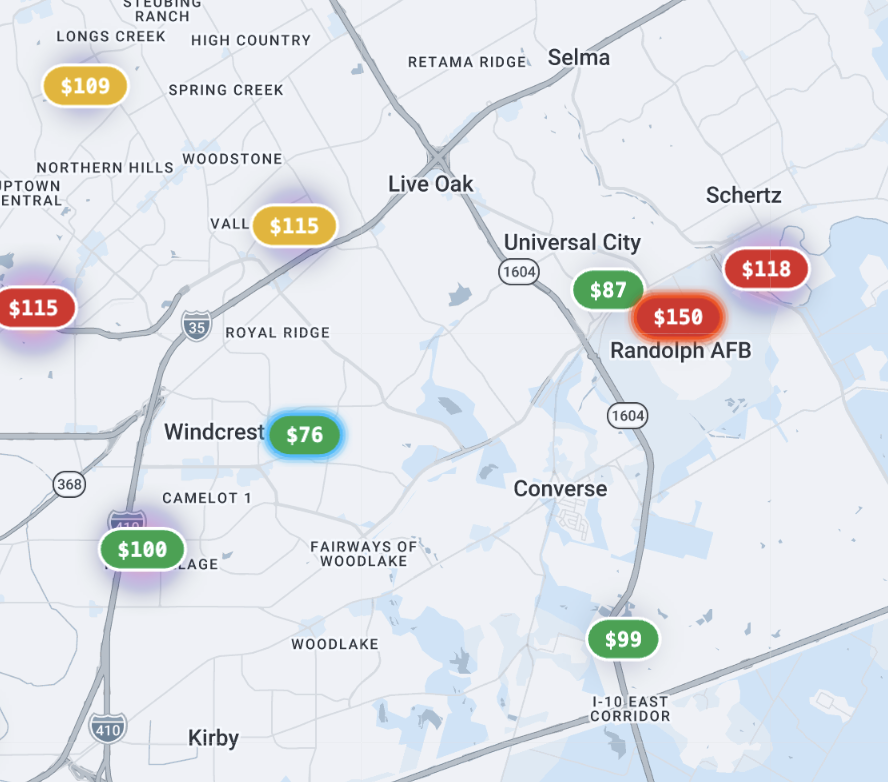
Tese visual cues help users immediately identify price extremes without scanning the entire map. Toggle price markers on or off using the Prices switch in the toolbar.
Important: Marker colors are calculated relative to the current query results, not against a fixed national benchmark. The color scale recalibrates every time you apply new filters. See How Numbers Are Calculated for details.
Related: Map View: Filters and Applying a Query · Map View: ZIP Code Detail and Rate Data Table · How Numbers Are Calculated
Was this article helpful?
That’s Great!
Thank you for your feedback
Sorry! We couldn't be helpful
Thank you for your feedback
Feedback sent
We appreciate your effort and will try to fix the article